 ·The measurements·Pricing
FR·EN·DE·ES·PT
·The measurements·Pricing
FR·EN·DE·ES·PT
Nothing in CinePerfect was chosen by eye. Every gain, every threshold, every radius was calibrated by numerical simulation on a test bench that runs the plug-in's real code and reports its results in screen points.
This page shows the instruments. You don't need to understand them to buy the plug-in — but you can reproduce every one of them.
A program that runs the plug-in's real code and measures what comes out.
The bench compiles the plug-in's own source files, not a reproduction. A bench that keeps its own copy sooner or later measures a stale version. Here they are regenerated on every build: what is measured is exactly what ships.
An analytical estimate of a gain can be wrong by a factor of 100 — you need only divide an energy by the source's share of the frame instead of its share of the blur kernel's footprint. The discrepancy is invisible on one shot and enormous on another: by eye, nothing flags it.
So no value is set without going through the bench. And thresholds are expressed in screen points, never in linear light — three separate bugs came from thresholds picked as if they were perceptual while being evaluated in light.
Images built to ask one module a precise question — and whose answer is read on a scope, not felt.
The most used control in the plug-in, and the worst named elsewhere. It is not a brightness slider: it is a multiplication in linear light, applied right after the log decode and before everything else. Setting +1 EV opens one stop — it does not brighten pixels.

Measured on these four frames: mean luminance rises from 11.6 to 57.1 %, evenly. And at +1.5 EV, clipping is 0.00 % in the sky — the gradient, the fragile part, loses nothing. The 5.7 % of clipping across the whole frame is entirely the ships' lights, point sources that are meant to go. The tonemap's shoulder holds the rest.
A correct white balance is a diagonal gain in cone space — the von Kries transform, applied with CAT02 matrices. It is not a tint laid over the image: it is the way the eye adapts to a light source, reproduced as such.

Measured on these three frames: the red/green ratio moves from 0.832 to 1.234 and blue/green from 1.259 to 0.649 — close to 50 % of chromatic displacement. And mean luminance varies by 0.48 point out of 38, that is 1.2 %. This is the property that separates a white balance from a colour tint: the latter moves both.
18 % middle grey encoded in eleven different manufacturer curves: V-Log, S-Log3, both Canon Logs, Apple Log, both Fujifilm curves, D-Log, N-Log, LogC3 and LogC4. Above, the native code values — eleven different levels. Below, each patch decoded by its own format.
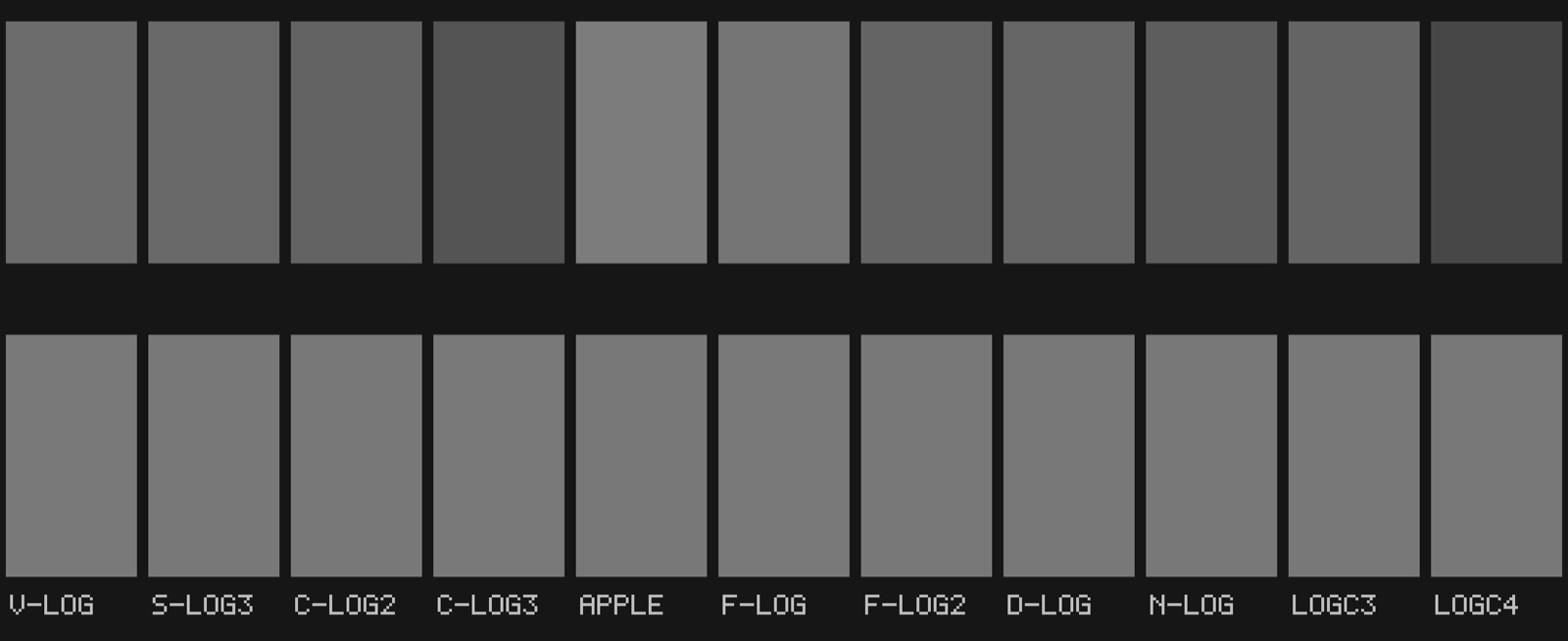
All eleven land at 47.06 %, with a spread of 0.00 point. And selecting the wrong format moves the patch elsewhere: the curves do not coincide.
A real camera OLPF is not a blur: it is a birefringent plate that splits the beam by a fixed distance. Its transfer function is a cosine — it nulls one precise frequency and lets finer detail through with reversed phase. That is why it is tuned exactly to the sensor's Nyquist.
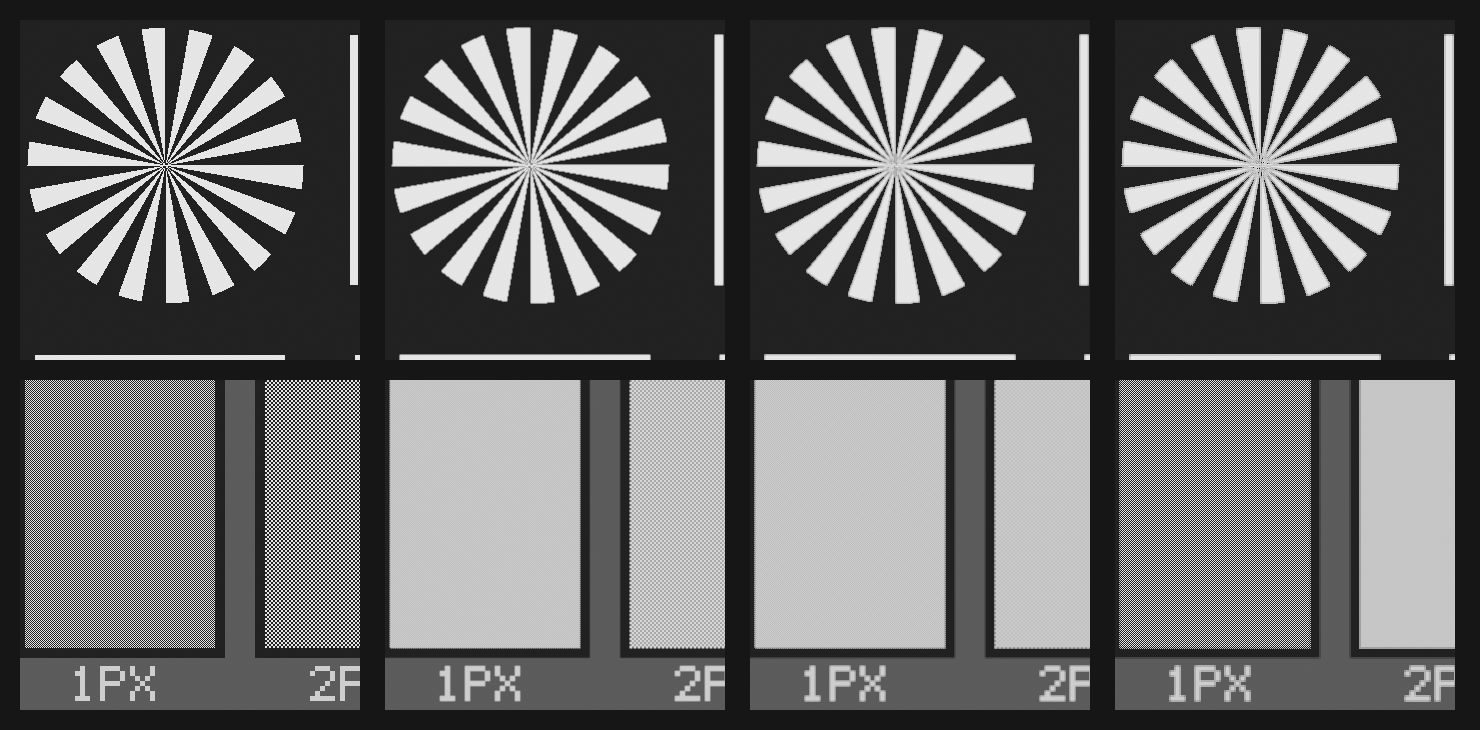
Left to right: filter off, then three rising strengths. At medium strength the 1 px checkerboard flattens; at full strength it comes back intact while the 2 px one is cancelled — 0.5 % of it survives. A Gaussian blur would never do that.
Video noise sits everywhere, and worst in the shadows. Silver grain does the opposite: it peaks in the midtones and vanishes in deep blacks as in highlights. In the toe of the curve the emulsion is barely exposed; in the shoulder it is saturated. Neither has any variance left to show.
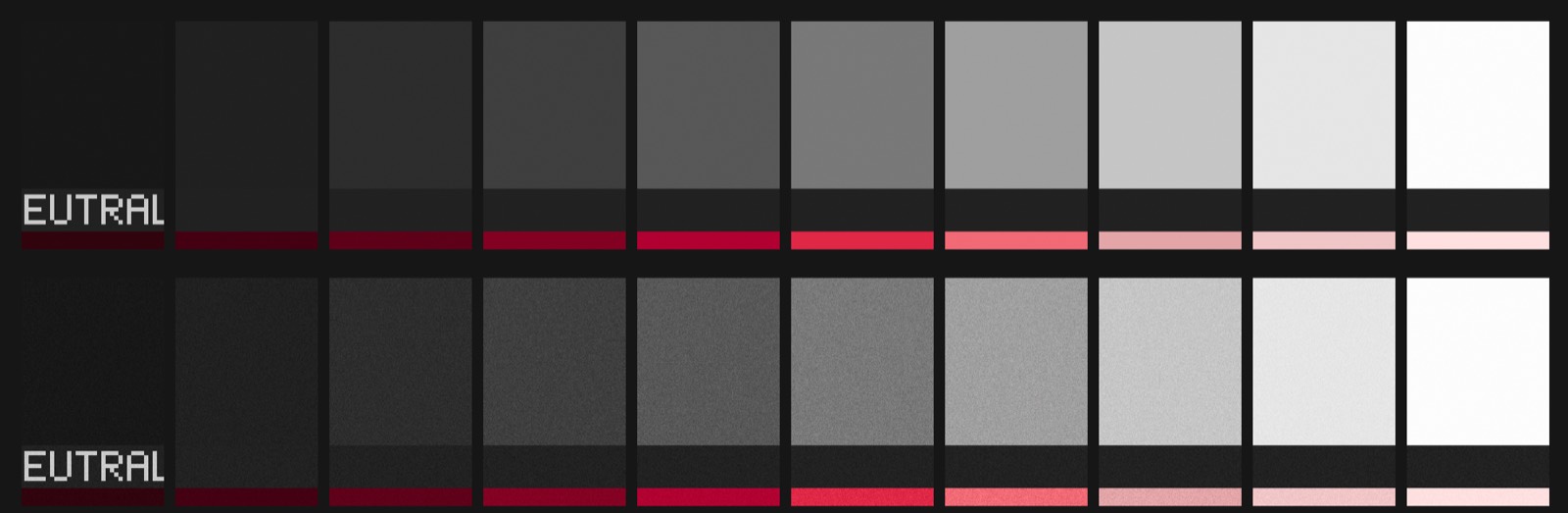
The shader weights grain by 4·Y·(1−Y) — maximum at 50 % screen, zero at black and at white. Measurement follows prediction within one point across the whole ramp. A slider moves it back towards uniform noise, because sometimes video noise is what you want.
On an emulsion, a more intense colour is always darker: more dye absorbs more light. That is the exact opposite of video saturation, which raises chroma at constant luminance — and it is what betrays a pushed image.
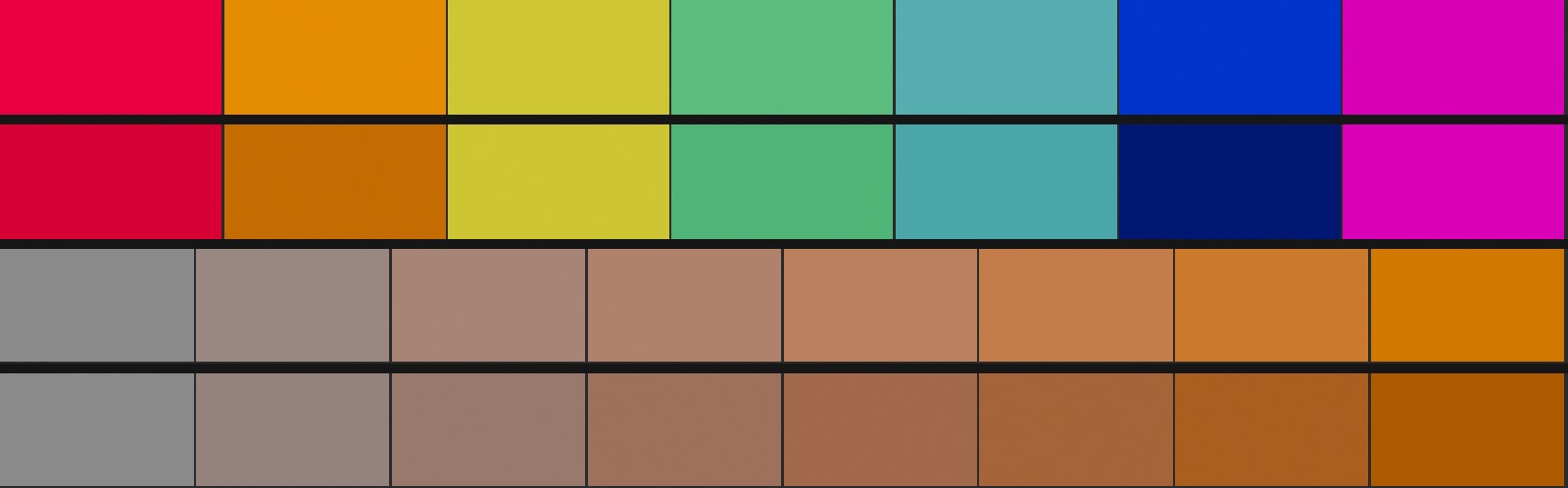
The seven hues on top — red, orange, yellow, green, cyan, blue, magenta — start at the same level. After density, blue and orange drop sharply while yellow barely moves: each hue has its own purity for the module to bite on. The eight patches start at the same luminance, from neutral grey to pure orange. After density they tilt: 0 % on the neutral, −21.6 % at full purity, rising continuously. No saturation control does that.
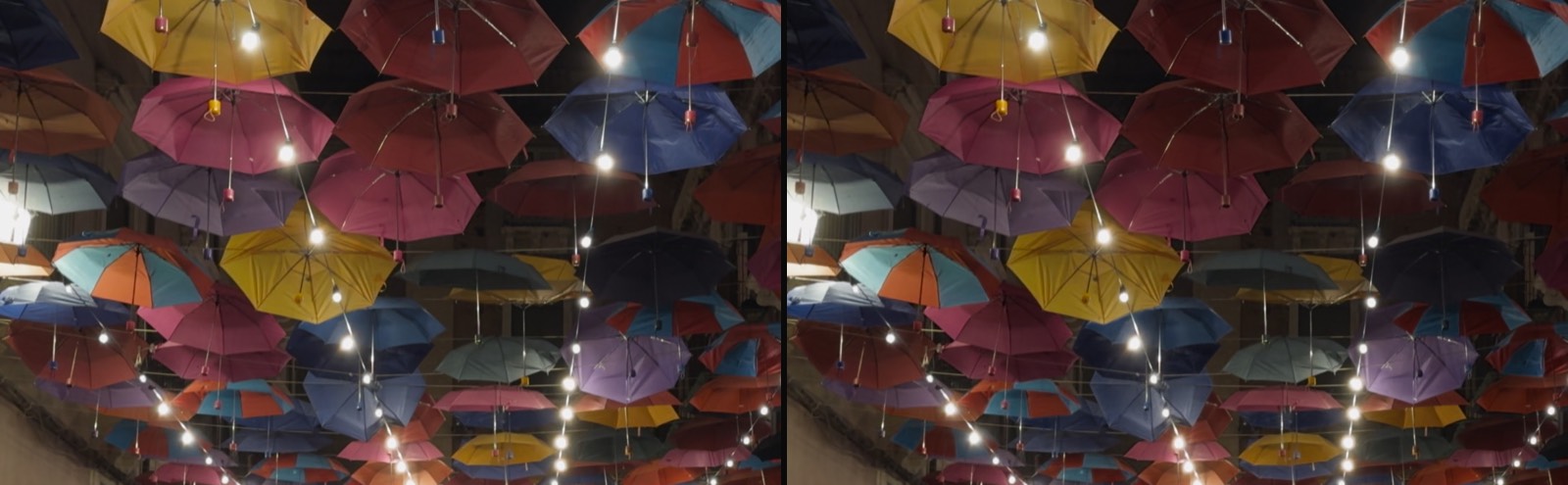
On this frame, density removes 15.6 % of the luminance from the saturated umbrellas and only 3 to 4.6 % from the stone and the walls — three to five times less. It does not touch the image, it touches the colour.
Light passes through the emulsion, reflects off the base and re-exposes the layer from below. The antihalation layer absorbs part of it — hence a saturation: beyond a few stops, a brighter source does not produce a proportionally stronger halo.
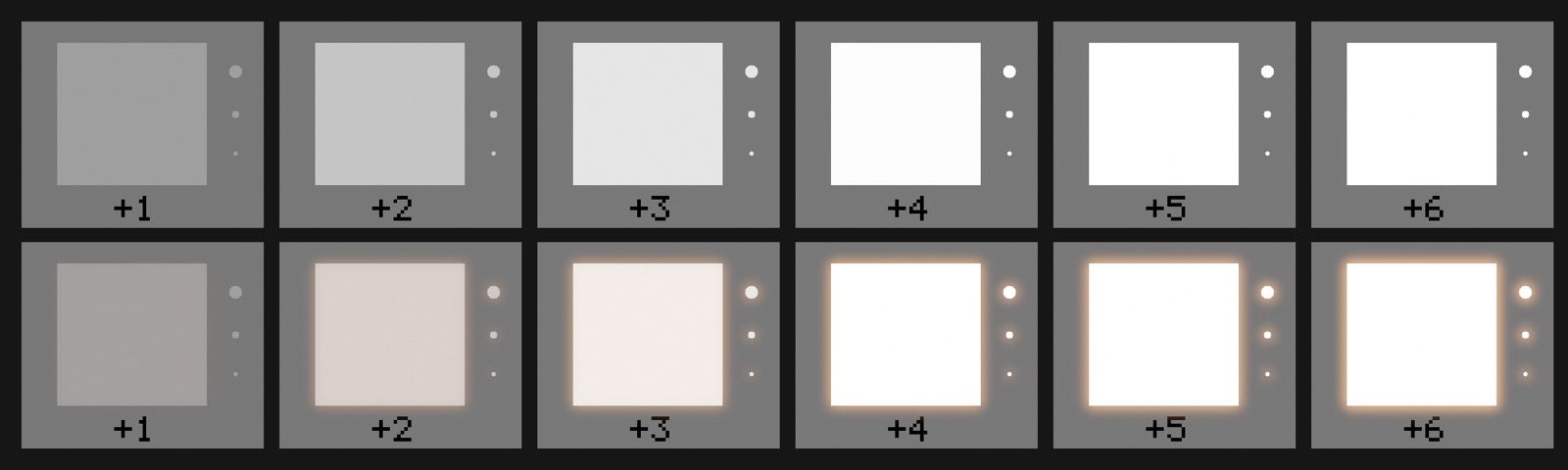
This is the classic failing of software halation: without that ceiling, it veils the whole image instead of ringing the sources.
Measured on the same night photograph: +1.5 % on the wall near the string lights, +0.0 % on the stone further away, and the tint warms there. Tight and local — exactly what re-exposure inside the emulsion should look like.
Bloom is not halation. It is born in the lens glass, not in the emulsion, and its radius is nearly seven times larger — 110 px against 16. Above all it has a threshold: below it, nothing happens.

The source at +1 stop does not bloom at all. From +3 the veil sets in and eventually swallows the numbered marks. That threshold is what keeps bloom from greying out the whole image — a common failing of software veils.
On the same frame: the far wall, ringed by string lights, veils by +6.4 %; the stone on the right, with no source nearby, does not move at all. That is what a local veil means.
The eight charts on this page are yours to download. 16-bit PNG, 3840×2160, in V-Log code values. Drop one into Final Cut with Camera LUT set to None and Source format to Panasonic V-Log: the 0.18 band must read 47% on the waveform.
Download the charts ZIP · 301 Ko
⚠️ These files are pre-compensated for Final Cut, which guesses the gamma of still images and applies code^1.1236 to them. On a log curve those four points are worth 0.55 EV — outside Final Cut the charts are off by the same amount the other way. Camera footage carries an explicit tag and is unaffected.
The measurement that matters most is not in a chart. It is the one made before every update.
A dedicated tool runs two variants of the render engine in the same process, on the same frame, through the complete chain. It answers the only question that actually concerns you:
will an update change the shots you have already graded?
The bar is 0.000 out of 255 — that is, no measurable deviation at all. A fix that fails it is not shipped as is: instead we look for a formulation that is the first-order expansion of the one it replaces, and which therefore preserves the render by construction.
A chart proves a mechanism. A shot shows what it looks like.
A street covered in umbrellas at night, under string lights — shot in Apple Log on an iPhone 15 Pro. This is the hard case: dozens of bright point sources, saturated colour everywhere, and faces under warm light.
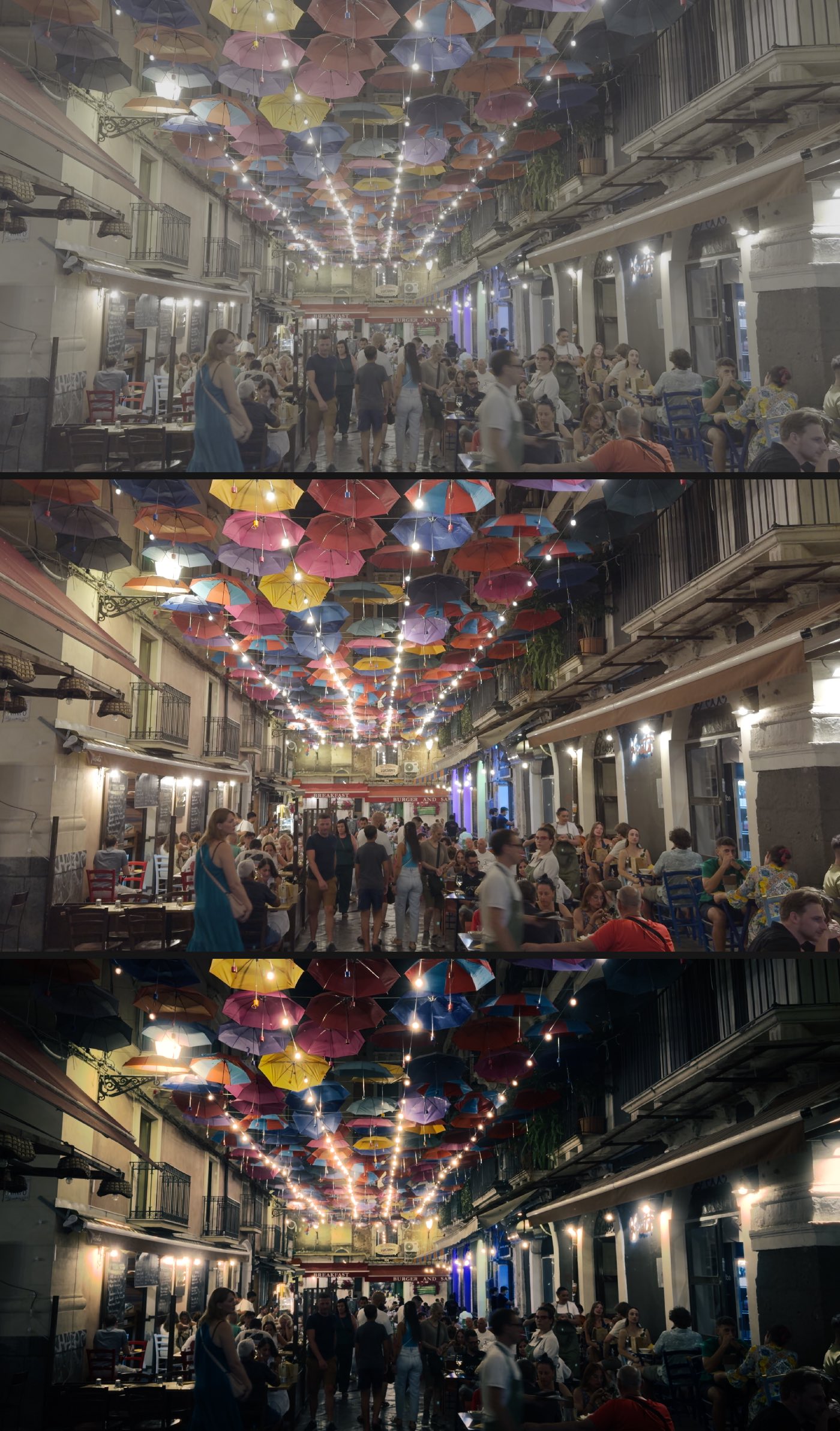
The middle frame is already correct: that is what the decode alone produces, with no module involved. Everything the third one adds comes from the stages of the chain, set one at a time and measured — not from a filter applied wholesale.
A shot from the series, at dusk. A continuous gradient in the sky, blue bodywork and two skin tones in the same frame — and almost no bright sources, the opposite of the previous shot.
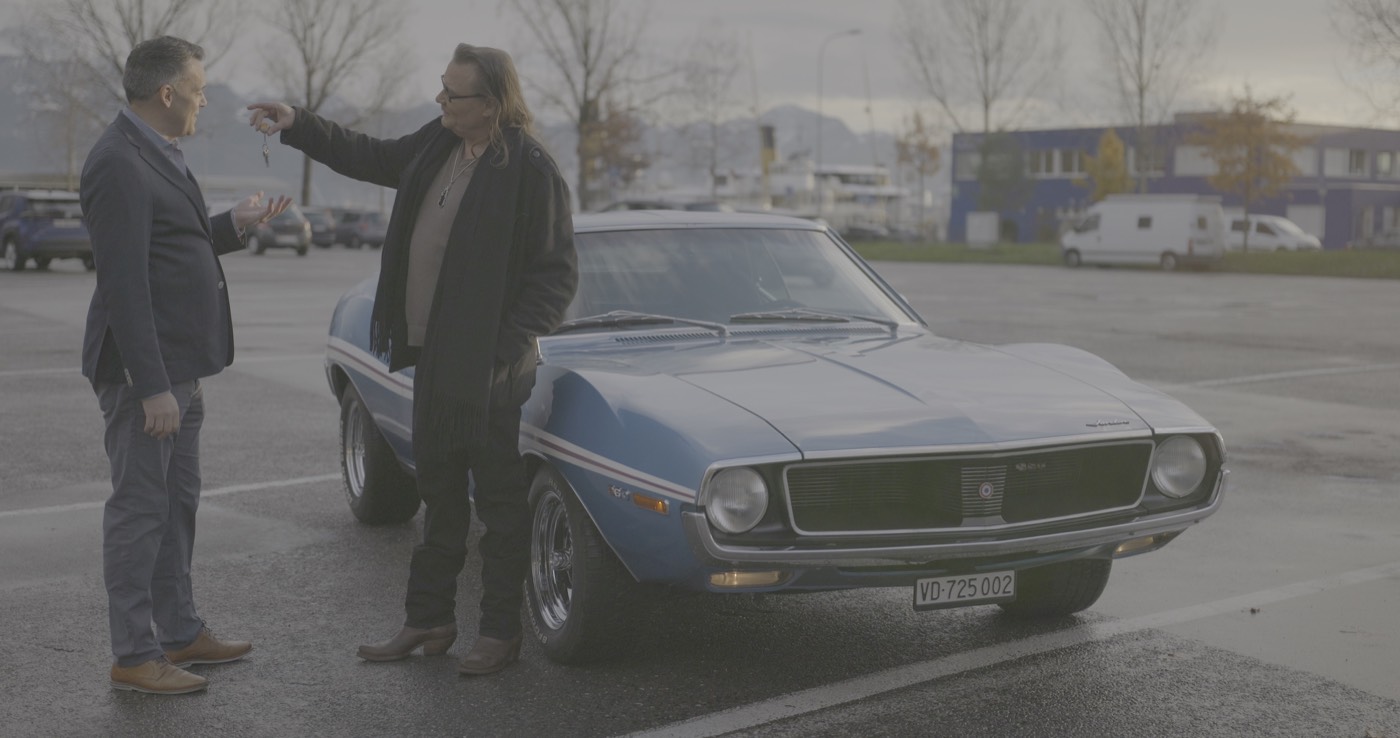
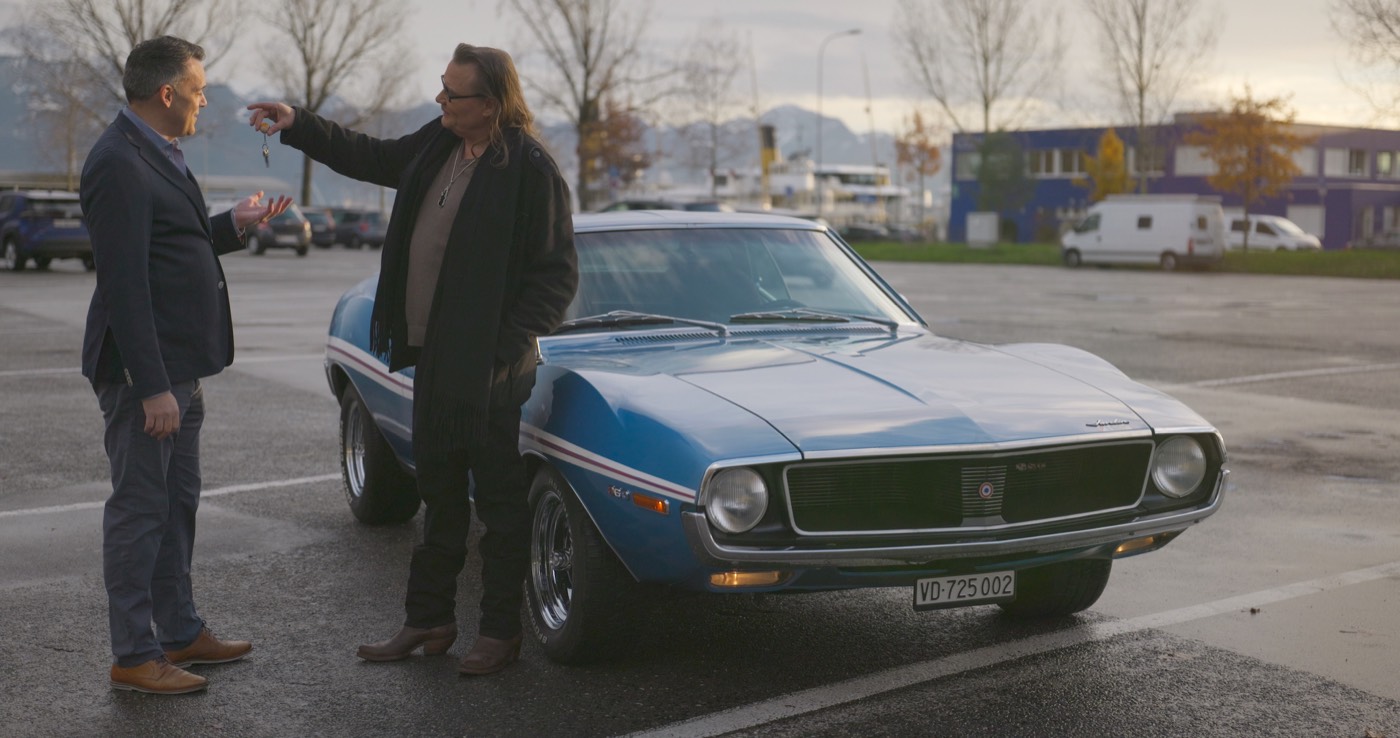
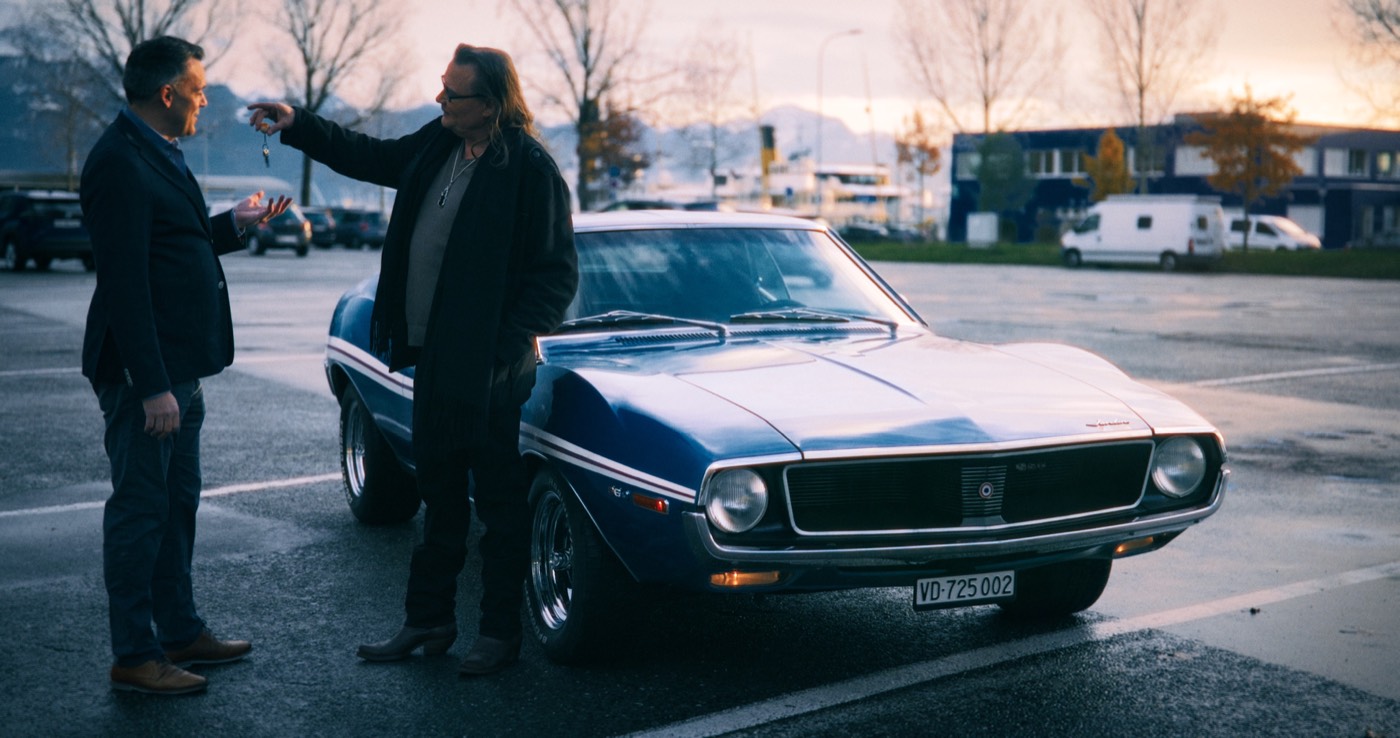
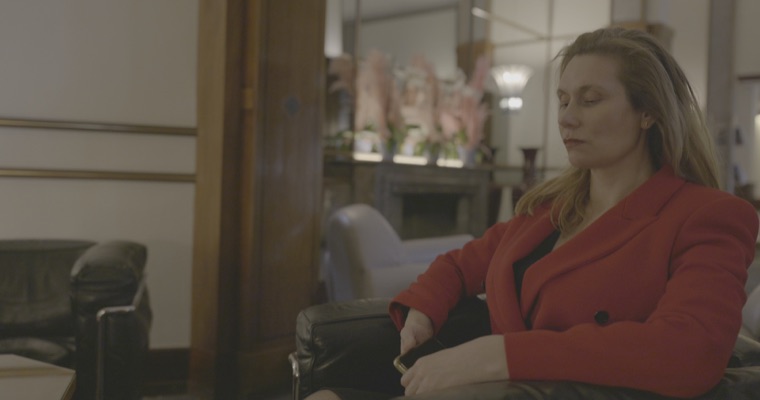 Camera log
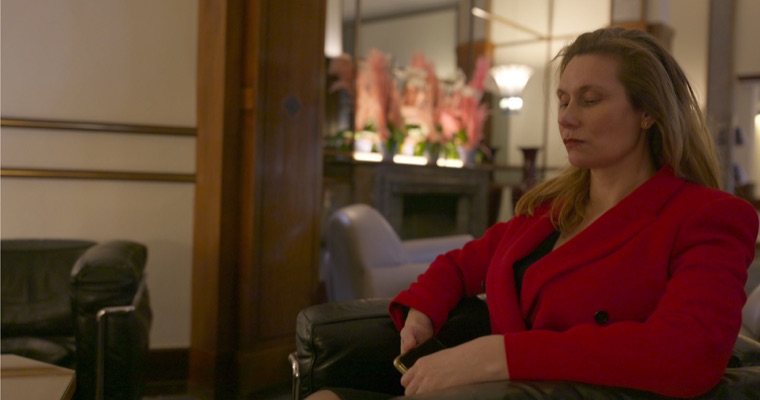 Rec. 709
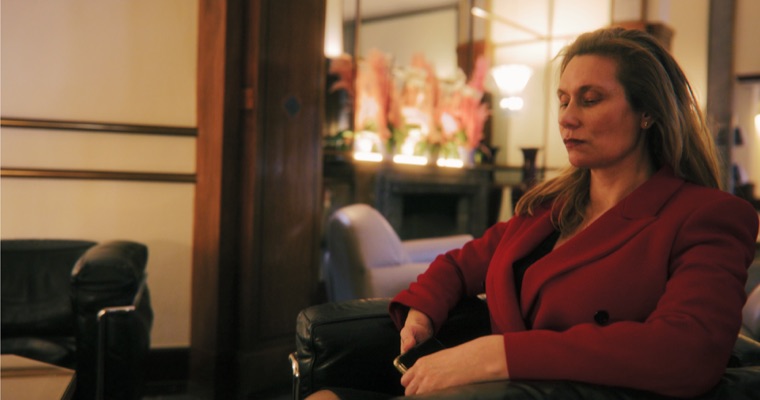 Rec. 709 + CinePerfect
Mister Hasard, series in production, graded with CinePerfect · © SpacProd